Purpose: Understand how to create graphical areas on a diagram with the help of notes.
Task: Create a StrategyModel (Hint 1) and document the three strategic areas (Hint 2) as per Cecil Grosscastle’s description:
Cecil Grosscastle:
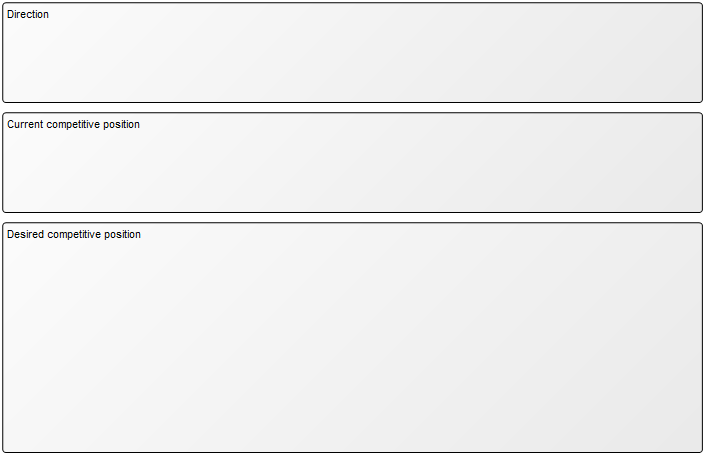
[…]The QualiCar strategy model consists of three areas called Direction, Current competitive position and Desired competitive position.
[…]
Create and describe the StrategyModel:
- In the lower left corner in the repository views click Strategy to show only Strategy related templates in the repository explorer
- On the right in the repository explorer right-click StrategyModel and click New…
- Type in the name “QualiCar strategy model” and press enter to create a new StrategyModel named “QualiCar strategy model”
- Double-click on StrategyModel “QualiCar strategy model” to open the model canvas
- On the canvas right-click on an empty space and click Open… to open the properties dialog or StrategyModel “QualiCar strategy model”
- In the properties dialog for the field “Owner” insert Chief Executive Officer
- In the properties dialog click OK to save your changes and close the properties dialog
Document strategic areas:
- Ensure that StrategyModel “QualiCar strategy model” is open
- On the right in the symbol panel click on the Note symbol to start placing notes
- On the canvas vertically place three notes named: “Direction“, “Current competitive position” and “Desired competitive position“
- Right-click on the Note “Direction” and click Open… to open the properties dialog
- In the properties dialog for the field “Note symbol” select “Text Label with Background” and click OK to save your changes and close the properties dialog
- Repeat steps 3-4 for Note “Current competitive position” and Note “Desired competitive position“
- Resize the note symbols so that they contain other symbols inside them