Concept Model

Purpose: The purpose of a Concept Model is to organize an enterprise’s vocabulary to support cPonsistent and unambiguous communication about specific problem domains across business units.

Core concerns: The Concept Model template enables you to model Concepts, Specialization Aspects and Subject Areas. They can be linked by Concept Associations, Concept Aggregations, Concept Generalizations, Type Relationships, and Relationship Constraints.

You are also able to link the diagram to its area of usage through the model’s property dialogue. This area of usage can by default be set to be either an Organization Unit, Role, Actor or External Entity.

Below you can see some examples of Concept Models from a healthcare domain:

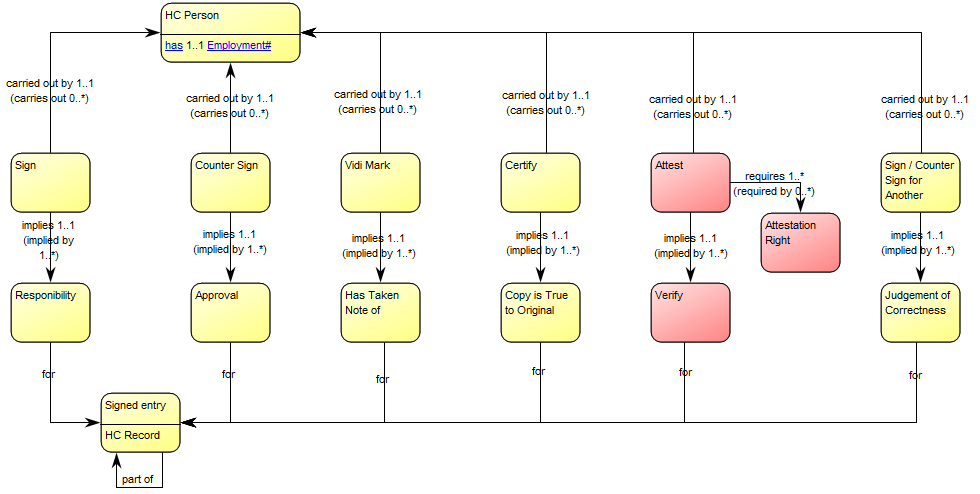
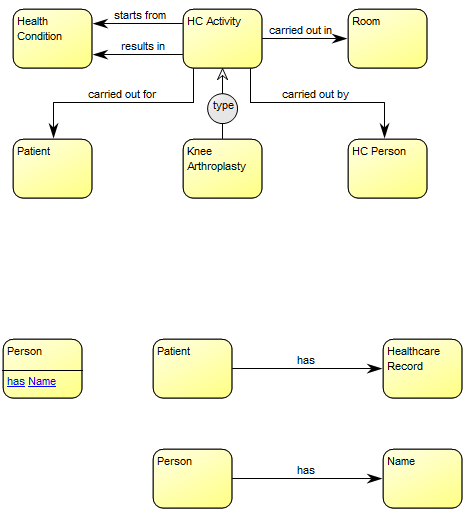
The model above shows the concepts related to the healthcare activity ‘knee arthroplasty’. The model below shows the concepts related to a signature in the healthcare domain:
ConceptModel_1

The model above shows the concepts related to the healthcare activity ‘knee arthroplasty’.

The model below shows the concepts related to a signature in the healthcare domain:

ConceptModel_2

Relation to other templates: A Concept Model should enable the identification of the right terms to use in communications where high precision is needed. This is useful when creating large sets of business rules or processes that need to fit together without ambiguity and when creating complex Data Models. As such, it could be advantageous to link to a concept model from the affected Business Process Networks, Workflow Diagrams, Requirements Models and Regulation Diagrams.

Properties and metadata: The Concept Model can for example retain the following information:

  • A description of the diagram
  • Link to the owner of the model
  • Link to the one responsible for the model
  • Link to view of area of usage
  • Audits (auto generated information regarding its current state and access rights)
  • Associated documents, diagrams and other objects
  • Inherent Risk detailing risk considerations
  • Governance information detailing information about the published diagram and who has been involved in the approval of the diagram
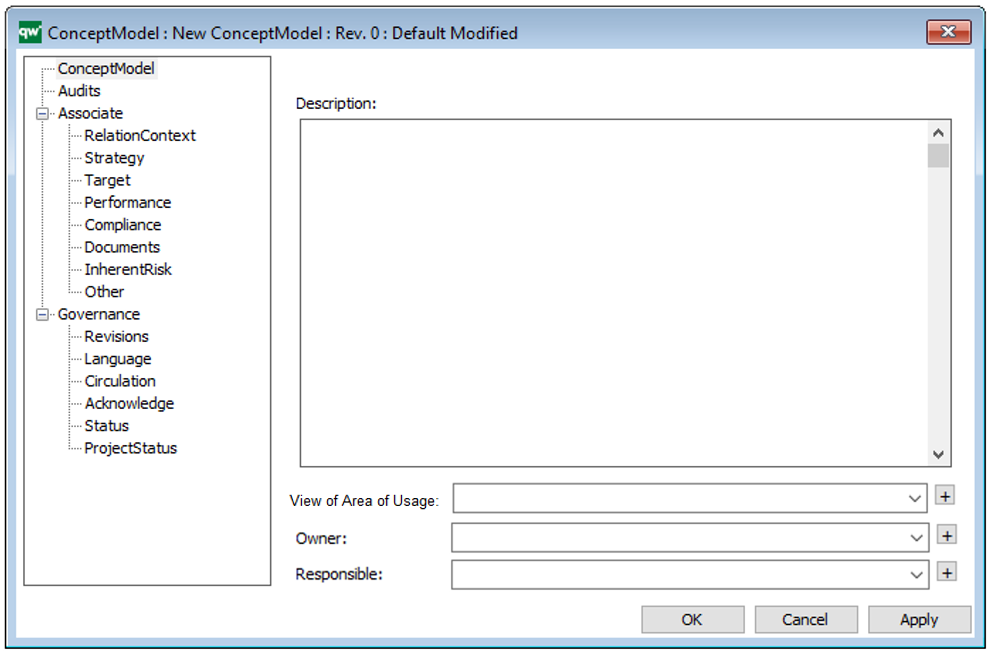
The above picture shows the properties dialogue window for the Concept Model, where you can view and edit the diagram’s properties in QualiWare Lifecycle Manager.

For more information: to learn more about Concept Models, you can read the following article:

Ronald G. Ross , “What Is a Concept Model?” Business Rules Journal Vol. 15, No. 10, (Oct. 2014). URL: http://www.brcommunity.com/a2014/b779.html
Class Diagram

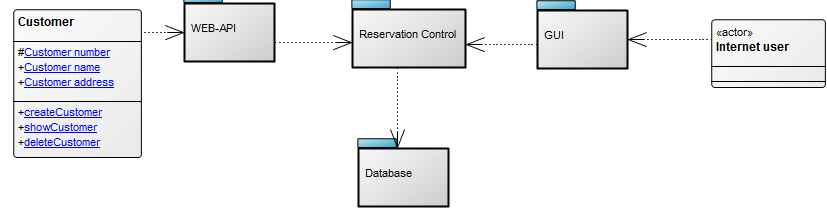
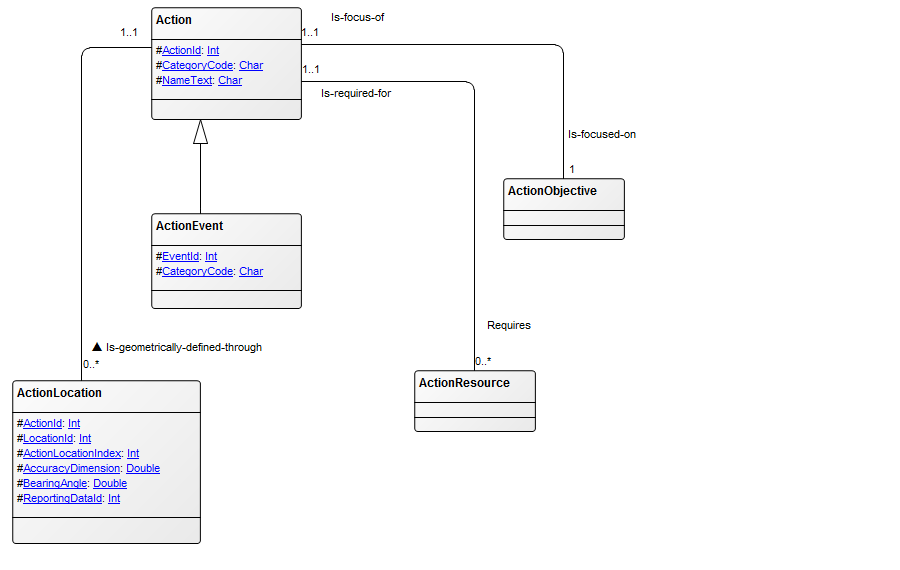
Purpose: The primary objective of the Class Diagram template is to visually represent and document the structural components of a system utilizing the Unified Modeling Language (UML). Displayed below is an example of a straightforward Class Diagram:

ClassDiagram_2

Core concerns: The Class Diagram effectively captures the various classes within a system, their attributes, operations, and the relationships between classes and other objects, such as packages. This comprehensive representation enables a clear understanding of the system’s structure, promoting efficient communication among stakeholders and facilitating system design and maintenance.

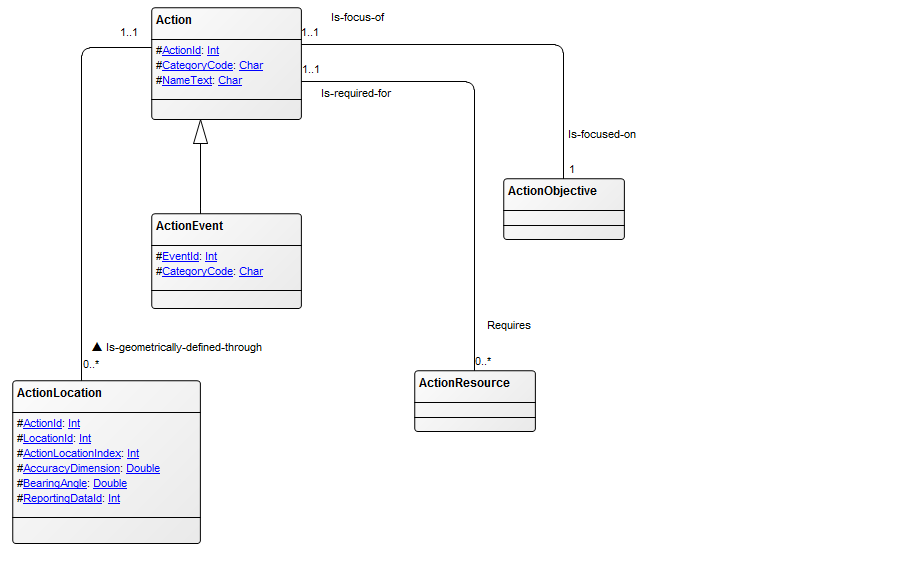
Example: In the Class Diagram below, the relationships between the classes “Customer” and “Internet User” and the packages “WEB-API”, “Reservation Control”, “GUI” (Graphical User Interface), and “Database” are illustrated. This example highlights the connections among different components and provides a visual overview of how they interact within the system:

ClassDiagram_1

Relation to other templates: The Class Diagram presents a detailed structural view of information. It can for example be a decomposition of an Information System which typically is presented in an Application Architecture Diagram. If a Class Diagram becomes too complex or large, a Package Diagram, where the classes are grouped into Packages, could be modelled instead.

Properties and metadata: The Class Diagram can for example retain the following information:

  • A description of the diagram
  • Link to the owner of the diagram
  • Link to the one responsible for the diagram
  • Audits (auto generated information regarding its current state and access rights)
  • Extensions regarding constraints and tagged values
  • Associated documents, diagrams and other objects
  • Inherent Risk detailing risk considerations
  • Governance information detailing information about the published diagram and who has been involved in the approval of the diagram

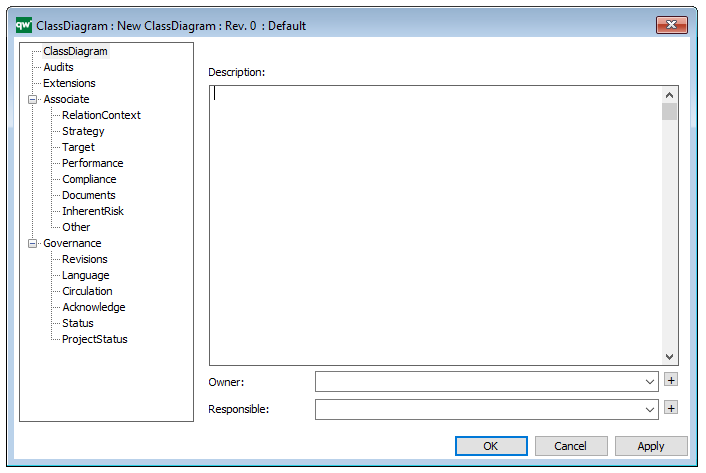
In the picture below you can see the Class Diagrams properties dialogue window, where the information can be viewed and edited:


Business Object Model

Purpose: The purpose of the Business Object Model is to present a structured view of an organization’s products and services.

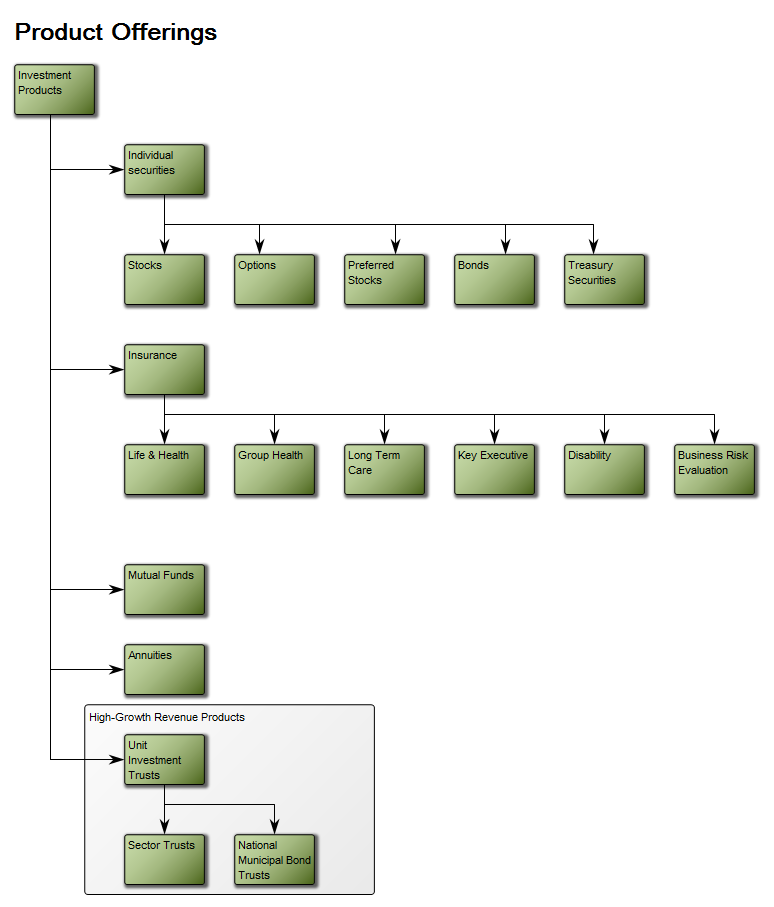
Core concerns: The focus of this template is the Business Object that can be described through Decomposition, Generalization, Association and Dependency with other Business Objects. Notes can be used to group Business Objects, for example as High-Growth Revenue Products, as seen in the below model:

BusinessObjectModel

The modelling syntax can be extended to also include strategic elements such as: Requirements, Problems, Change Requests, Goals, Performance Indicators and policies. They can be connected to the Business Objects through Strategic Alignment.

Relation to other templates: The Business Object Model belongs to the Information domain where it offers a conceptual and logical view of an organizations products and services. As such, it is related to templates such as Product Canvas, Product Roadmap and Product Variant Master

Properties and metadata: The Business Object Model can for example retain the following information:

  • A description of the diagram
  • Link to the owner of the diagram
  • Link to the one responsible for the diagram
  • Audits (auto generated information regarding its current state and access rights)
  • Associated documents, diagrams and other objects
  • Inherent Risk detailing risk considerations
  • Governance information detailing information about the published diagram and who has been involved in the approval of the diagram

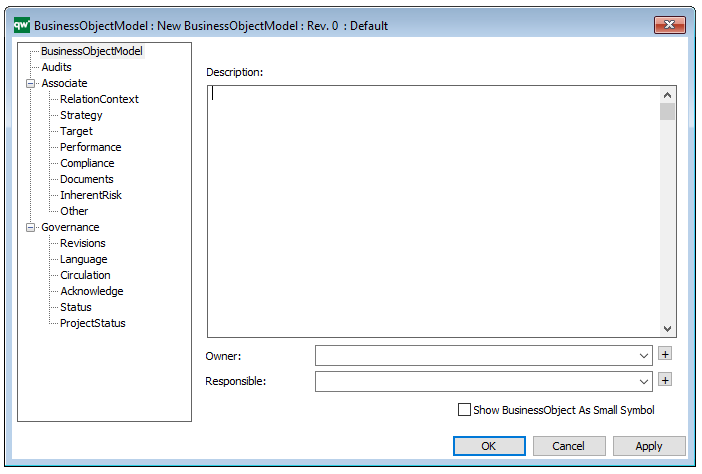
The above picture shows the properties dialogue window for the Business Object Model, where you can view and edit the diagram’s properties in QualiWare Lifecycle Manager.

Information Structure Viewpoint : Archimate

Concerns: Structure and dependencies of the used data and information, consistency and completeness
Purpose: Designing
Scope: Multiple layer/Single aspect

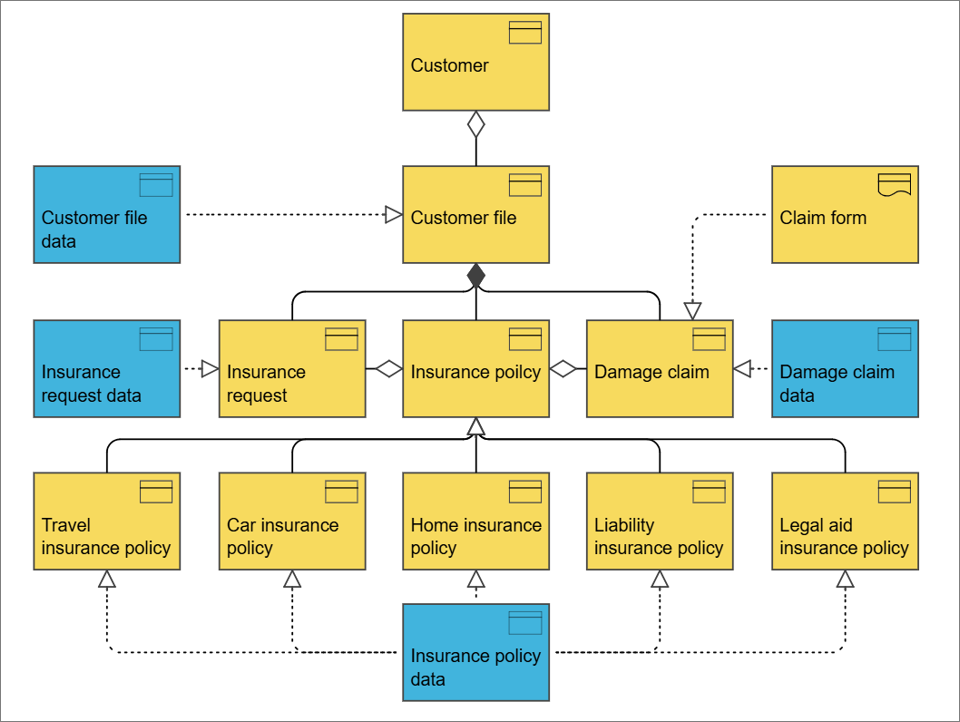
The information structure viewpoint is comparable to the traditional information models created in the development of almost any information system. It shows the structure of the information used in the enterprise or in a specific business process or application, in terms of data types or (object-oriented) class structures. Furthermore, it may show how the information at the business level is represented at the application level in the form of the data structures used there, and how these are then mapped onto the underlying technology infrastructure; e.g., by means of a database schema.

Physical Viewpoint : Archimate

Concerns: Relationships and dependencies of the physical environment and how this relates to IT infrastructure
Purpose: Designing
Scope: Multiple layer/Multiple aspect

The physical viewpoint contains equipment (one or more physical machines, tools, or instruments) that can create, use, store, move, or transform materials, how the equipment is connected via the distribution network, and what other active elements are assigned to the equipment.

Requirements Realization Viewpoint : Archimate

Concerns: Architecture strategy and tactics, motivation
Purpose: Designing, deciding, informing
Scope: Motivation

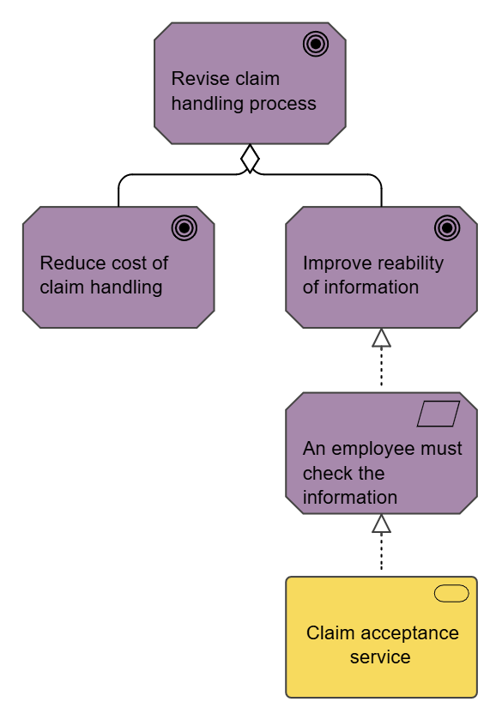
The requirements realization viewpoint allows the designer to model the realization of requirements by the core elements, such as business actors, business services, business processes, application services, application components, etc. Typically, the requirements result from the goal refinement viewpoint.

In addition, this viewpoint can be used to refine requirements into more detailed requirements. The aggregation relationship is used for this purpose.