A precisely defined result of a workpackage.
Archives: Templates
Templates and model types in the QualiWare platform.
Decision Table DMN
Description of this template will be available soon.
Decision Requirements Diagram DMN
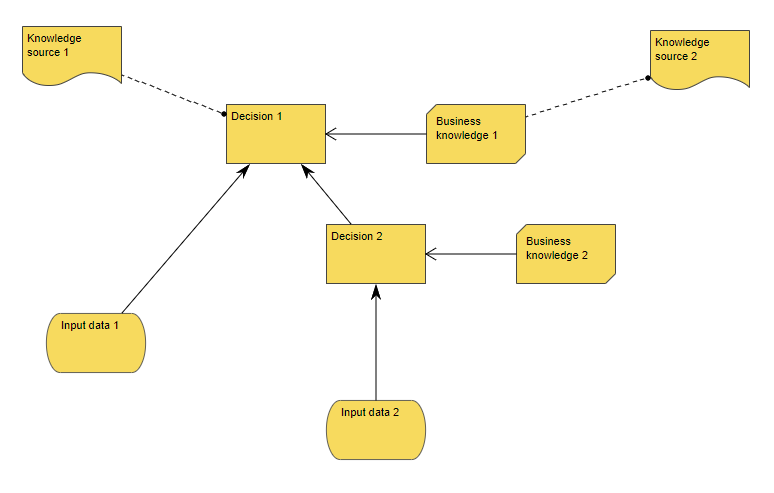
The Decision Requirement Diagram shows how a set of decisions depend on each other, on input data, and on business knowledge models.
The Decision Requirement Diagram is a part of the Decision Model Notation (DMN) from OMG.
“The primary goal of DMN is to provide a common notation that is readily understandable by all business users, from the business analysts needing to create initial decision requirements and then more detailed decision models, to the technical developers responsible for automating the decisions in processes”.
Decision Node
A branching point where the flow diverges based on conditions (guards).
Data Warehouse
Description of this template will be available soon.
Data Source Connection
The DataSourceConnection template is used to connect to a data source, and can be used to e.g. reverse engineer a database.
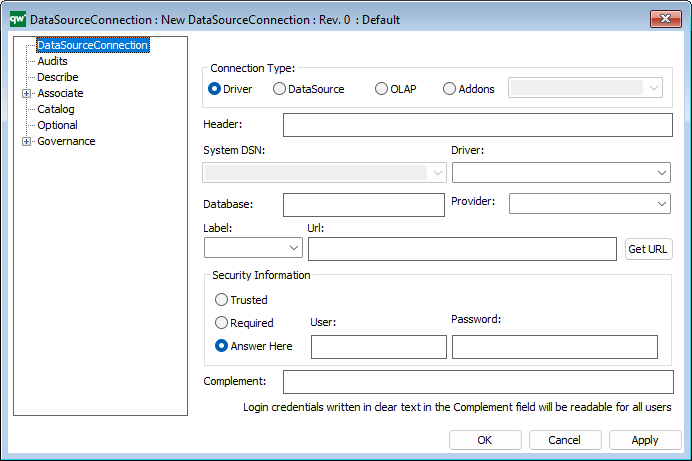
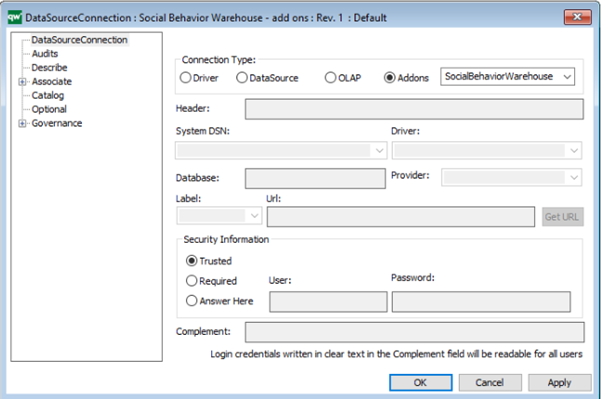
The main tab on the template specifies the connection to the database.
The most important thing to understand about setting up the database connections is the connecting string. Details about connection string formats can be found here:
https://www.connectionstrings.com/
Connection Type
- Driver => The connection string is complete inside the DataSourceConnector
- DataSource => The connection data is installed in a QDBC Driver
- Addons => Uses the data connections available in QIS/RA under Addons
Driver
The installed driver must be selected and the connection string should be given in the “Complement” field.
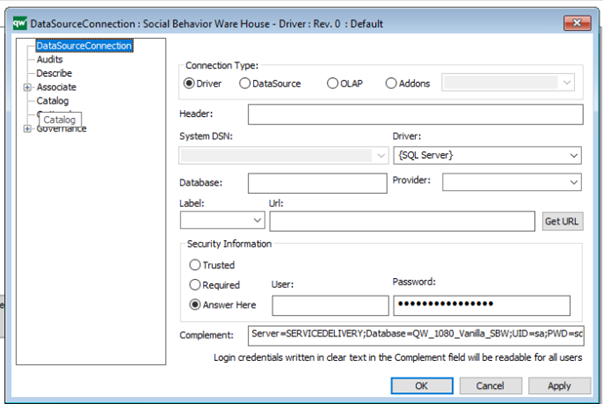
The credentials can be added in the Security Information or added in the Complement field.
Note that login credentials written in the Complement field will be readable for all users.
It is possible to test the Connection on the Catalog tab.
DataSource
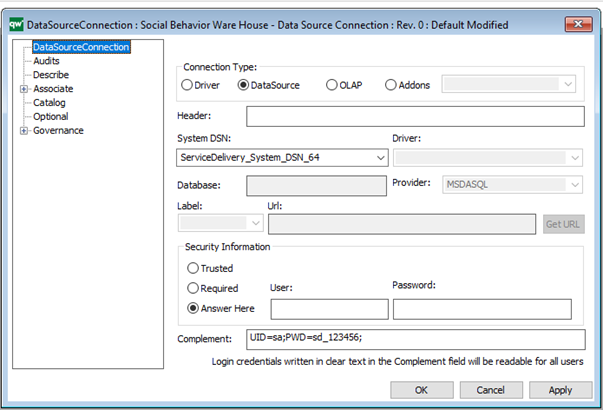
A prerequisite is that the ODBC driver has been created with e.g. the ODBC Administrator tool available at the server.
It MUST be a 64-bit driver as the QIS Server is 64-bit. The QLM is 32-bit, and because of this the 64 bit must entered manual. The dropdown simply will not show the 64-bit, only 32 bit.
Select the relevant provider and credentials as well in terms of “Complement”.
Addons
The addons refer to the databases set up under addons in this specific installation under the QIS/ Repository Adminstrator.
Catalog
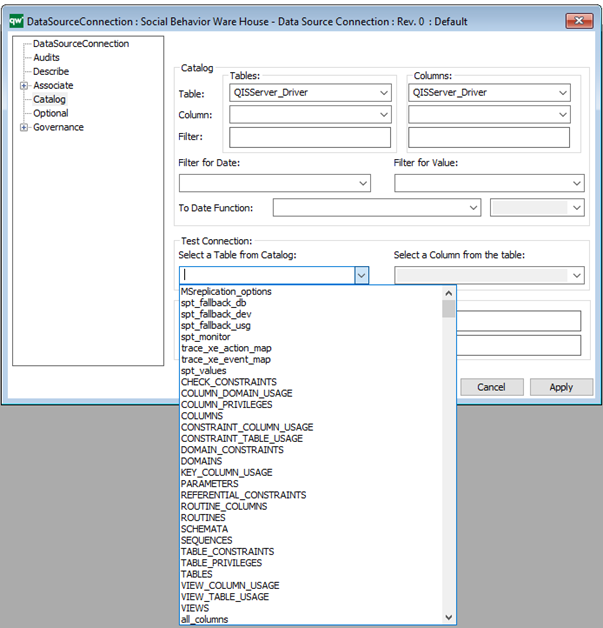
On the Catalog tag, you should select the QISServer_Diver.
Test Connection
In the Test Connection it is possible to test if the connection works. If it works, a list of available Catalogs will be displayed.
In case of error, please look at the Message window. There will the error code be available. This will help finding the problem and to fix the problem.
Video
The DataSourceConnection can together with the DataModellingStructure be used to reverse engineering of databases.
Data Processing Agreement
This template can be used to document Data Processing Agreements.
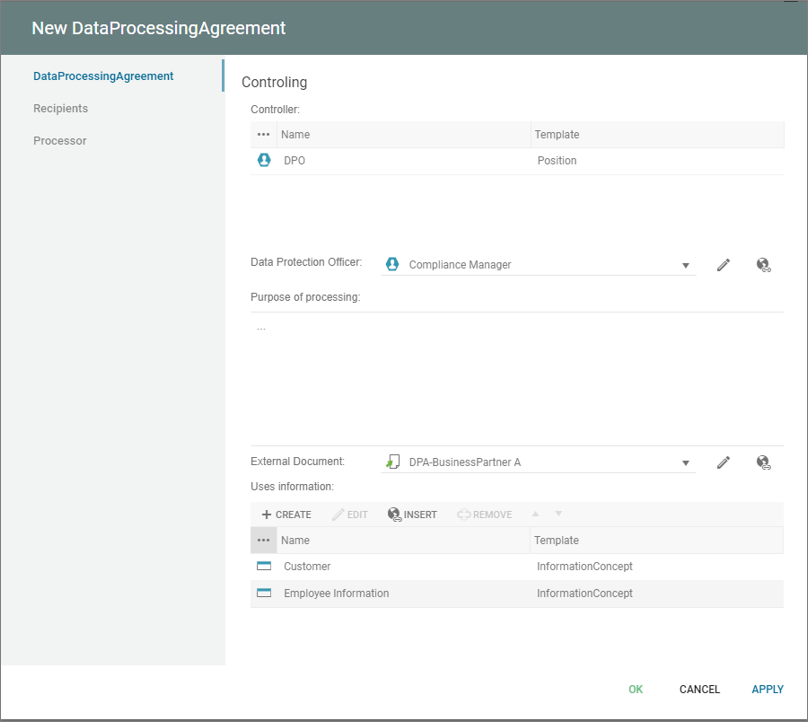
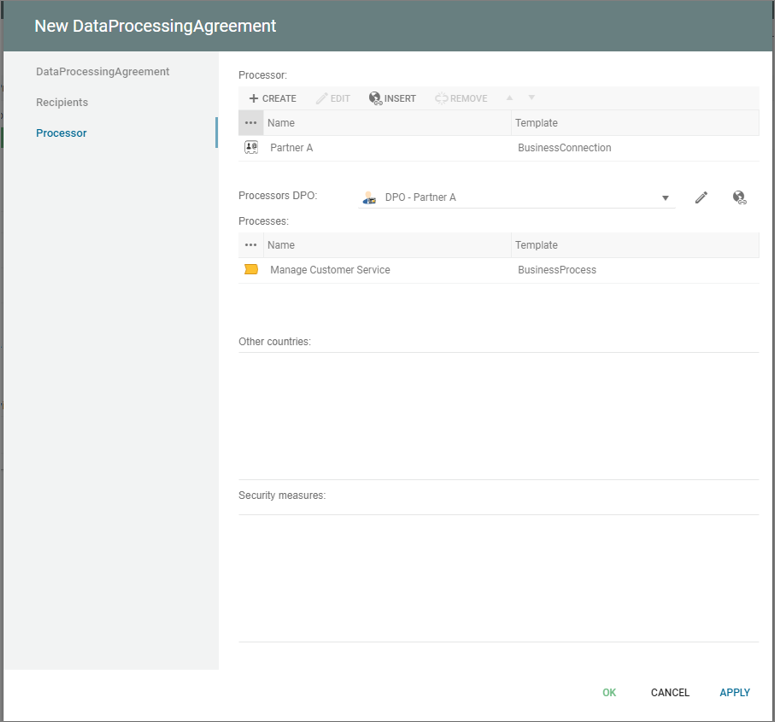
The DPAs can be enriched and described with a whole set of properties and relations.
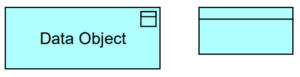
Data Object : ArchiMate
Data structured for automated processing. A data object should be a self-contained piece of information with a clear meaning to the business, not just to the application level. Typical examples of data objects are a customer record, a client data set, or an insurance claim. The name of a data object should preferably be a noun.
Data Mapping
Description of this template will be available soon.
Data Extract
Description of this template will be available soon.