Application Interface ArchiMate

An application interface specifies how the functionality of a component can be accessed by other elements. An application interface exposes application services to the environment. The same application service may be exposed through different interfaces, and the same interface may expose multiple services.

In a sense, an application interface specifies a kind of contract that a component exposing this interface must fulfill. This may include parameters, protocols used, pre- and post-conditions, and data formats.

An application interface may be part of an application component through composition, which means that these interfaces are provided by that component, and can serve other application components. An application interface can be assigned to application services, which means that the interface exposes these services to the environment. The name of an application interface should preferably be a noun.

Properties:

Property Metamodel name Description
Short description ShortDescription
Implements Implements Links to: All templates.
BreaksDownTo BreaksDownTo Links to: All templates.

Application Interaction : ArchiMate

An application interaction represents a unit of collective application behavior performed by (a collaboration of) two or more application components.

An application interaction describes the collective behavior that is performed by the components that participate in an application collaboration. This may, for example, include the communication pattern between these components. An application interaction can also specify the externally visible behavior needed to realize an application service. The details of the interaction between the application components involved in an application interaction can be expressed during the detailed application design using, for example, a UML interaction diagram.

An application collaboration may be assigned to an application interaction. An application interaction may realize an application service. Application services and technology services may serve an application interaction. An application interaction may access data objects. The name of an application interaction should clearly identify a series of application behaviors; e.g., “Client profile creation” or “Update customer records”.

Properties:

Property Metamodel name Description
Short description ShortDescription
Implements Implements Links to: All templates.
BreaksDownTo BreaksDownTo Links to: All templates.

Application Function : ArchiMate

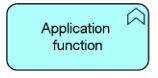
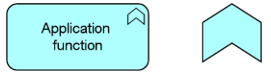
An application function represents automated behavior that can be performed by an application component.

An application function describes the internal behavior of an application component. If this behavior is exposed externally, this is done through one or more services. An application function abstracts from the way it is implemented. Only the necessary behavior is specified.

An application function may realize one or more application services. Application services of other application functions and technology services may serve an application function. An application function may access data objects. An application component may be assigned to an application function (which means that the application component performs the application function). The name of an application function should preferably be a verb ending with “ing”; e.g., “accounting”.
Properties:

Property Metamodel name Description
Short description ShortDescription  
Implements Implements Links to: All templates.
BreaksDownTo BreaksDownTo Links to: All templates.

Application Collaboration : ArchiMate

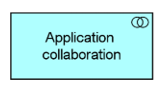
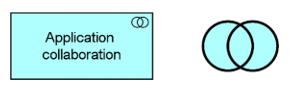
An application collaboration represents an aggregate of two or more application components that work together to perform collective application behavior.

An application collaboration specifies which components cooperate to perform some task. The collaborative behavior, including, for example, the communication pattern of these components, is modeled by an application interaction. An application collaboration typically models a logical or temporary collaboration of application components, and does not exist as a separate entity in the enterprise.

Application collaboration is a specialization of component, and aggregates two or more (cooperating) application components. An application collaboration is an active structure element that may be assigned to one or more application interactions or other application internal behavior elements, which model the associated behavior. An application interface may serve an application collaboration, and an application collaboration may be composed of application interfaces. The name of an application collaboration should preferably be a noun.

Properties:

Property Metamodel name Description
Short description ShortDescription
Implements Implements Links to: All templates.
BreaksDownTo BreaksDownTo Links to: All templates.

Aggregation ArchiMate

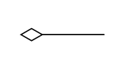
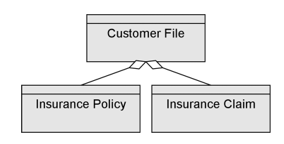
Aggregation:ArchiMate is a connector. It indicates that an element groups a number of other concepts.

The aggregation relationship has been inspired by the aggregation relationship in UML class diagrams. In contrast to the composition relationship, an object can be part of more than one aggregation.

An aggregation relationship is always allowed between two instances of the same element type.

In addition to this, the metamodel explicitly defines other source and target elements that may be connected by an aggregation relationship.


Properties:

Property Metamodel name Description
Short description ShortDescription  
Implements Implements Links to: All templates.
BreaksDownTo BreaksDownTo Links to: All templates.

Activity Parameter Node

Activity parameter nodes are object nodes at the beginning and end of flows that provide a means to accept inputs to an activity and provide outputs from the activity, through the activity parameters.

Properties

ActivityParameterNode properties

The ActivityParameterNode tab

Property

Metamodel name

Description

Visibility Visibility The visibility of the class for other components.
Leaf isLeaf Initial value is off.
Type Type Links to: Class.
isControlType isControlType Initial value is off.
Ordering Ordering Choices are:
unordered
ordered
LIFO
FIFO
Selection Selection Links to: InteractionOverviewDiagram, SequenceDiagram, StateMachineDiagram, Activity, TimingDiagram, ActivityDiagram, CommunicationDiagram.
UpperBound UpperBound
Parameter parameter Links to: Parameter.

The Extensions tab

Property

Metamodel name

Description

Stereotype Stereotype Links to: Stereotype.
Constraints HasConstraints A reference to a named rule that extends the semantics of the component.
Links to: Constraint.
Tagged values HasTaggedValues The set of tagged values that extends the properties of this component.
Links to: TagDefinition.

Active Directory Sync Setup

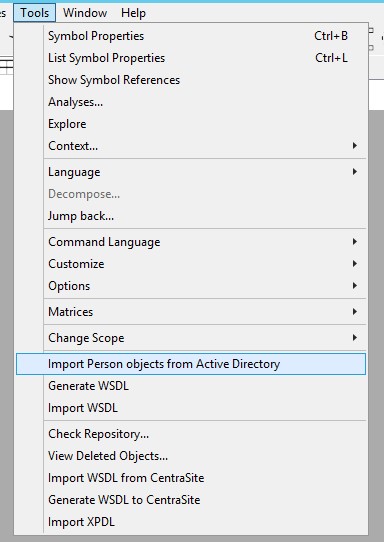
The ActiveDirectorySyncSetup template is a system template previously used to synchronize objects between the active directory and QLM. This however is now done in QEF or via the tools menu:

Action

An action can be documented in an UML activity diagram. An action represents a single atomic step within an activity, and is not further decomposed within the activity.

Acknowledge List

The Acknowledge list function enables you to keep track of and document which of your employees have read which relevant documentation.

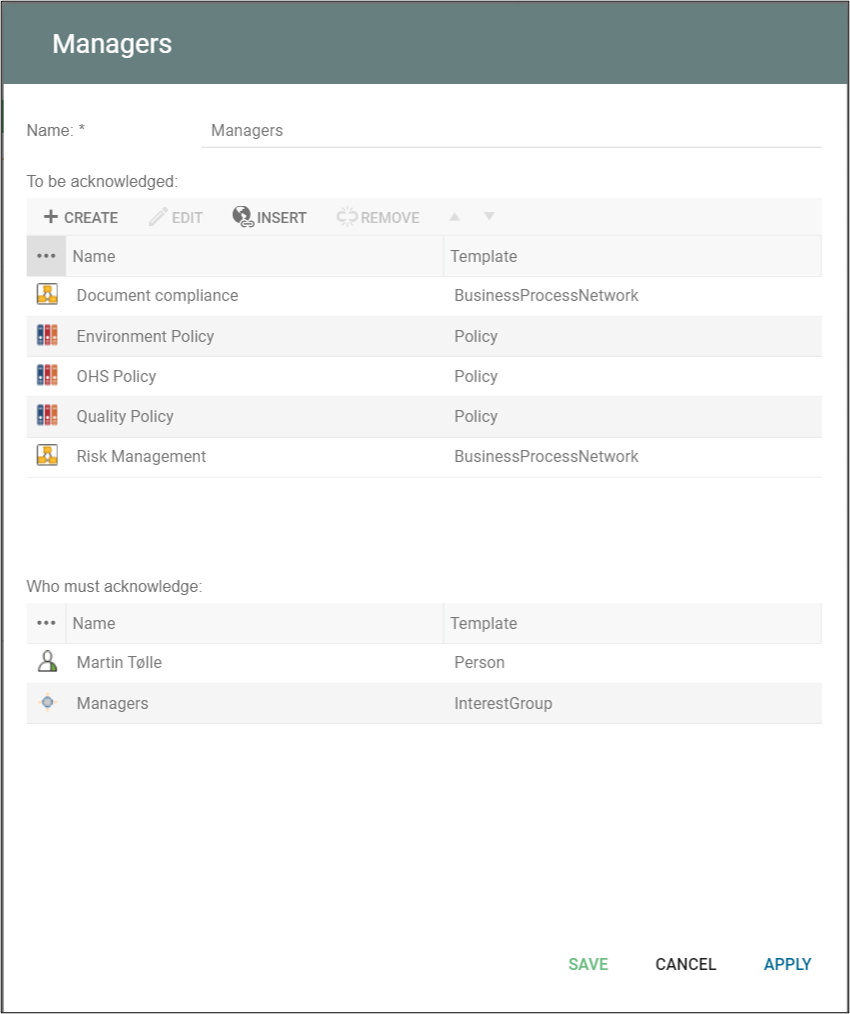
An acknowledge list is used to select a group of people who must digitally acknowledge that they have read or studied specific sets of documentation. This can for example be a diagram, a document, or a set of regulations. An acknowledge list can be a one to one or a many to many relationships between objects and people. This means that you can have several people, InterestGroups, OrganizationalUnits or several objects listed in the same acknowledge list.

Once a user is assigned to acknowledge an object, the user will get a govenance task, when a new revision of the object is approved. Note as standard the object should be part of the standard “Change Management” governance workflow and the object state, and the Acknowledge is shown when the object is in “Approved” state (read more about the governance workflows here).

An “Acknowledge” action-button is shown in relation to e.g. the Diagram:

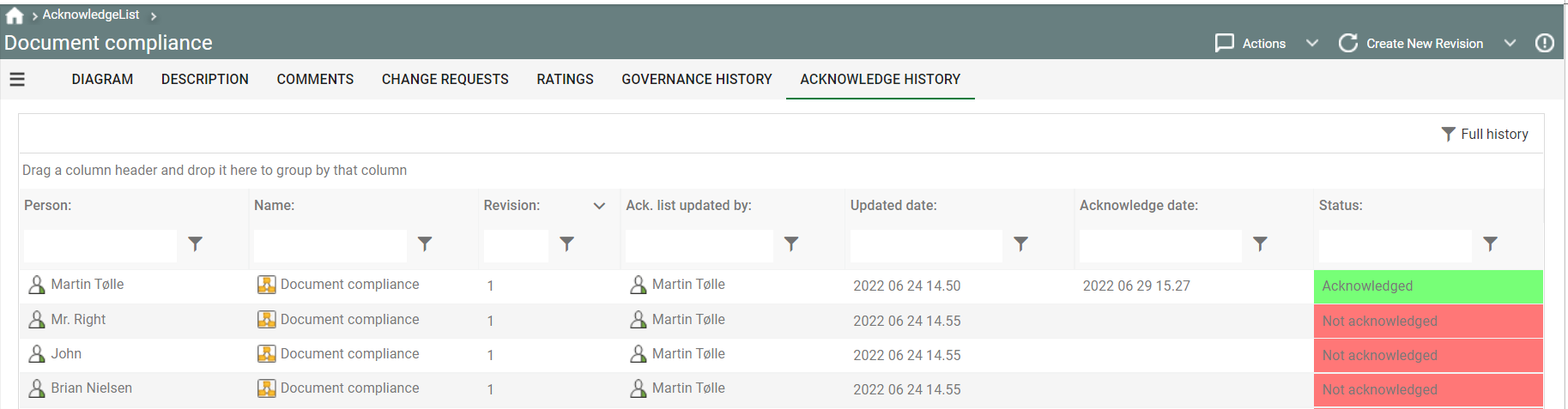
The Acknowledge history can be seen on the “Acknowledge History” tab:


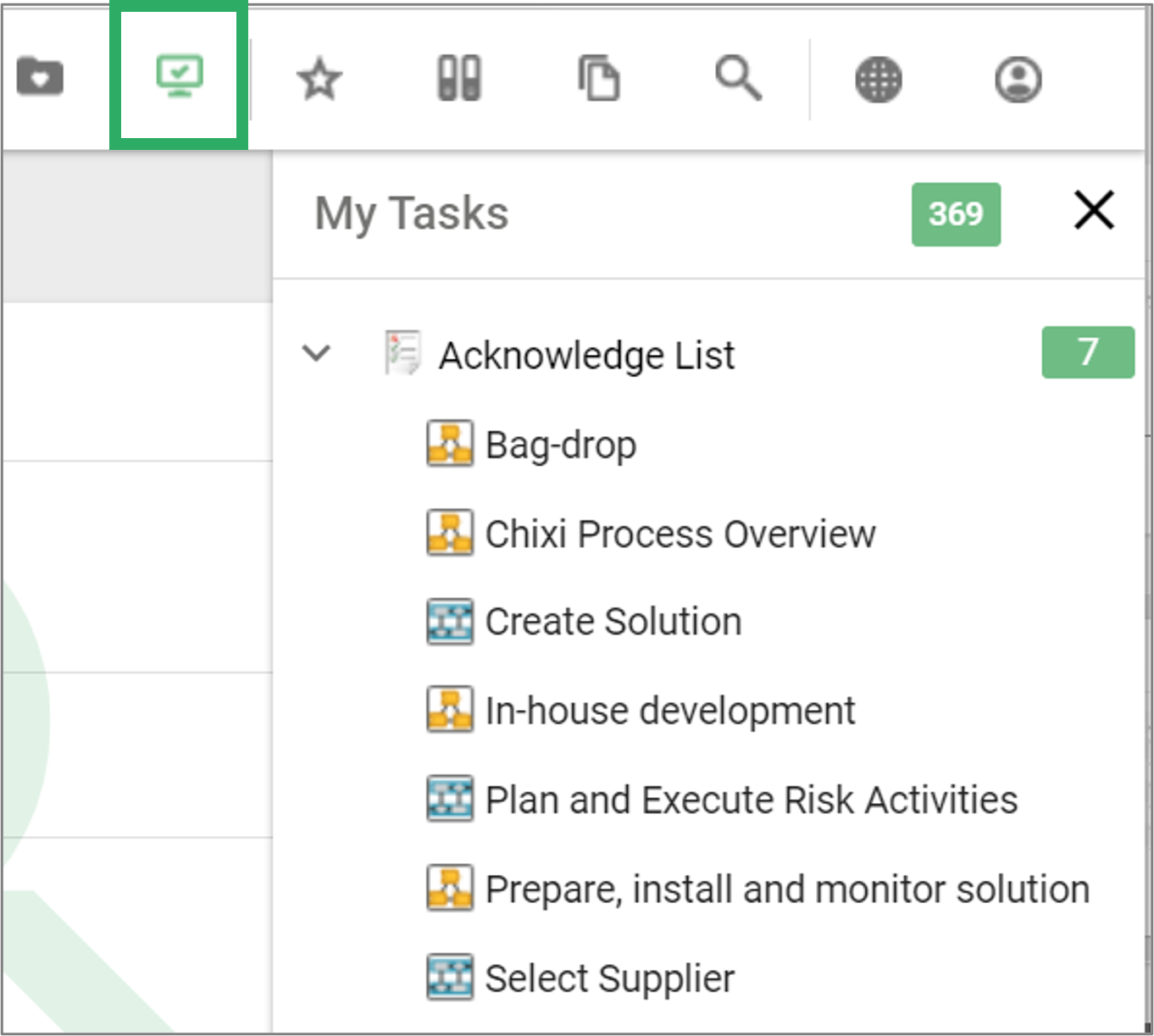
A user can access their ackowledge task(s) via their “My task” action button in the top right

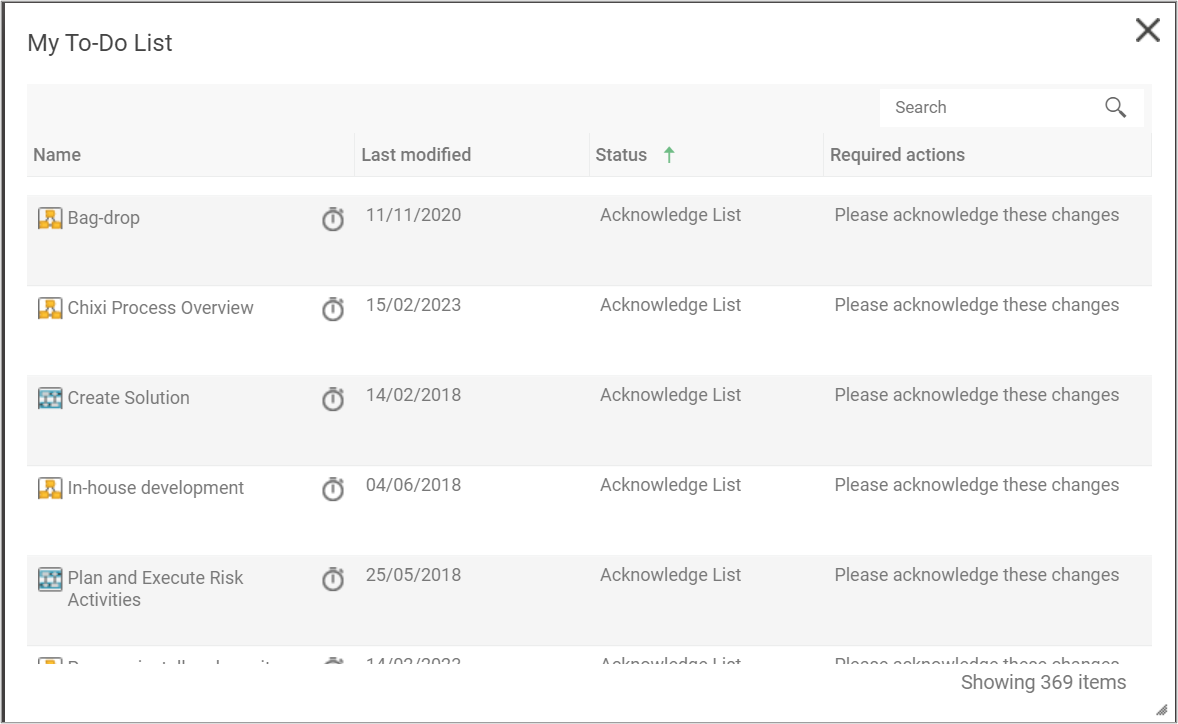
And from their “To Do list” from the desktop.

Access ArchiMate

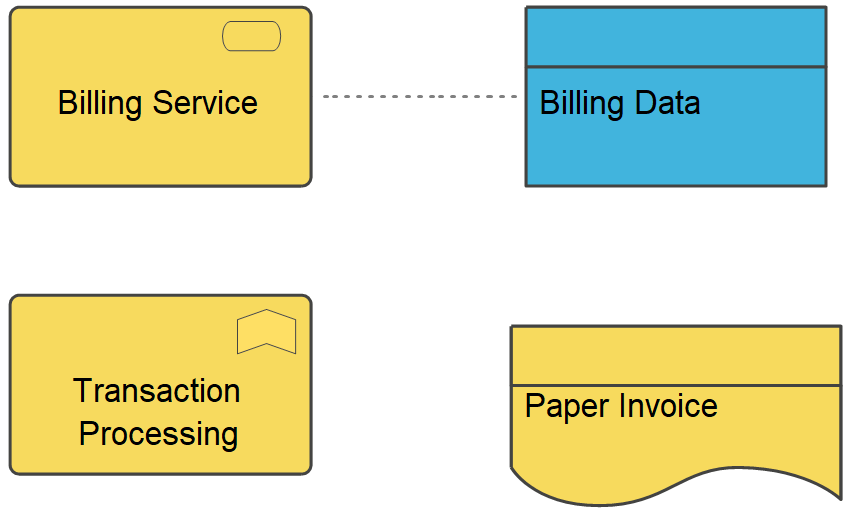
Access ArchiMate is one out of three ‘Dependency Relationships’ from the ArchiMate metamodel. IT represents a data dependency and is denoted by a dashed line.

Dependency relationships describe how elements support or are used by other elements. Three types of dependency relationship are distinguished:

  • The servingrelationship represents a control dependency, denoted by a solid line.
  • The accessrelationship represents a data dependency, denoted by a dashed line.
  • The influencerelationship is the weakest type of dependency, used to model how motivation elements are influenced by other elements.

Note that, although the notation of these relationships resembles the notation of the dependency relationship in UML, these relationships have distinct meanings in ArchiMate notation and (usually) point in the opposite direction. One advantage of this is that it yields models with directionality, where most of the arrows that represent such supporting, influencing, serving, or realizing dependencies point ‘upwards’ towards the client/user/business. Another reason for this direction, in particular for the serving relationship, is that it abstracts from the ‘caller’ or ‘initiator’, since a service may be delivered proactively or reactively. The direction of delivery is always the same, but the starting point for the interaction can be on either end. UML’s dependency is often used to denote the latter, showing that the caller depends on some operation that is called. However, for modelling this type of initiative, the ArchiMate language provides the triggering relationship, which can be interpreted as a dynamic (i.e., temporal) dependency. Similarly, the flow relationship is used to model how something (usually information) is transferred from one element to another, which is also a dynamic kind of dependency.

If you want to learn more about the ArchiMate language, you can find the specification here