
An activity path is a type of connection that is used in diagrams to represent the flow of activities or tasks in a process or project. It typically shows the sequence of steps or tasks required to complete a specific goal or objective. The path may also indicate dependencies, constraints, and milestones between different activities or tasks.
QLM Users
Activity
An activity is a work process that is carried out by the organization. Activities can be defined at a high abstraction level where they constitute business guidelines or top-level business structures. Activities can also be working procedures or even work instructions at a low level of abstraction. Using ‘BreaksDownTo’ functionality a total description of the workstructure of an organization can be created, starting from the strategic level, going down through the tactical level to the operational level.
Activies appear among other in WorkFlowDiagrams and BusinessProcessDiagram. In this case the activities are part of a documented workprocess, where different parts of the organization plays different Role.
A BusinessDiagram or a BusinessProcessNetwork will often show the structure of the work, whereas a WorkFlowDiagram will show the flow of the work – sequence of activities, conditions etc., like a flowchart. When activites are used on a WorkFlowDiagram the purpose will often be to simulate the described business process in order to improve it. Therefore, activity information like duration, cost, iteration and uncertainties are essential.
Control Activities
The Activity can, under its risk tab, be defined as a Control or a Key Control. Here, you can also add information about Control type, mode, frequency and monitoring:
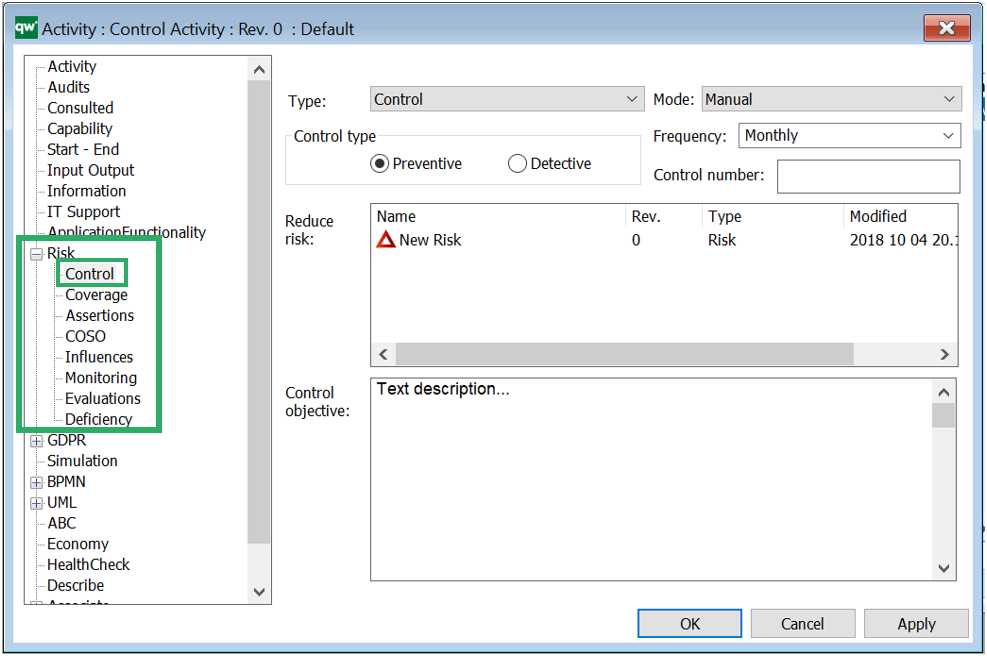
The control type of the activity can be set as either preventive (minimize the likelihood of a given risk occurring), or detective (minimize the impact when the risk occurs). A Control Activity is typically created from the Risk template (under its control tab in its properties) as a backwards relation.
The Control Activity may be enriched by linking Control Coverage, Influences (that may consist of Accounts or Financial Statements) Evaluations, Control Deficiencies, Assertions and COSO Categories to it. Below, you can see how the Control Activity relates to the Risk and other relevant templates:
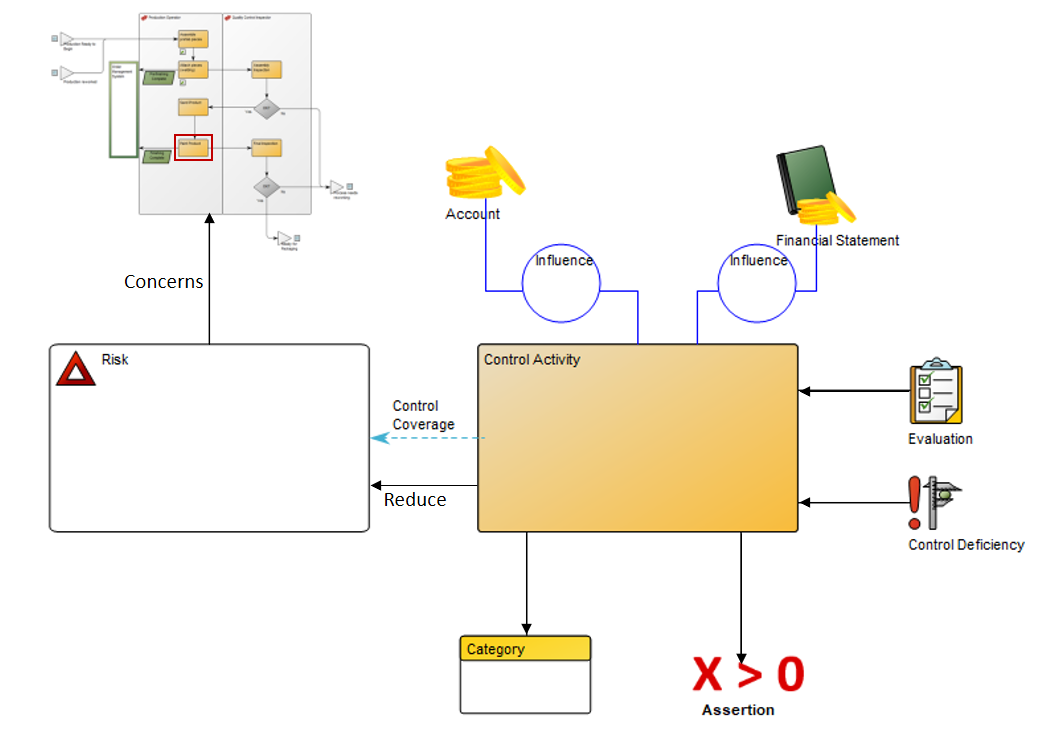
Arrows that point away from the Control Activity are items the Activity link to. Arrows that point towards the Control Activity illustrate that it is the objects that link to the activity. The Control Activity should be inserted into the Workflow Diagram or Business Process Diagram where it belongs. This could be in the workflow where the risk occurs or it could be in a separat Workflow Diagram.
Accident
An event resulting in person injury or material damage.
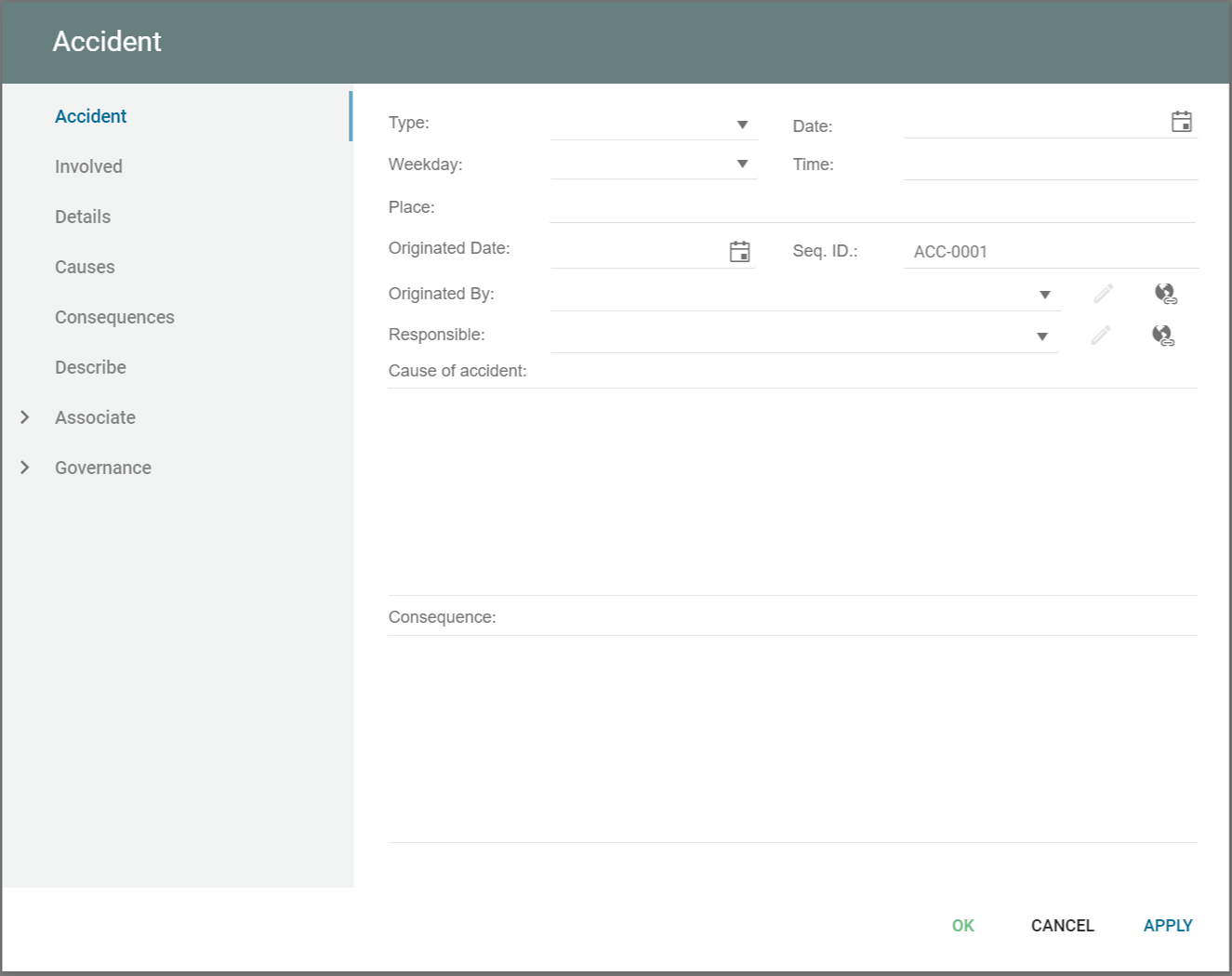
An accident can be created on its own and it can be transfered from an incident or problem in the standard Incident governance workflow or Problem governance workflow.
Transition
A connection showing that the object can go from one state to another.
Trend
Convergence toward a certain preference.
Type Relationship
The ‘is instance of’ relationship goes from a concept to a type concept, from a type concept to a meta concept, or from a meta concept to a meta meta concept, and so on.
User Label
An actual label.
Value : ArchiMate
Value may apply to what a party gets by selling or making available some product or service, or it may apply to what a party gets by buying or obtaining access to it. Value is often expressed in terms of money, but it has long since been recognized that non-monetary value is also essential to business; for example, practical/functional value (including the right to use a service), and the value of information or knowledge. Though value can hold internally for some system or organizational unit, it is most typically applied to external appreciation of goods, services, information, knowledge, or money, normally as part of some sort of customer-provider relationship.
A value can be associated with all core elements of an architecture as well as with outcomes. To model the stakeholder for whom this value applies, this stakeholder can also be associated with that value. Although the name of a value can be expressed in many different ways (including amounts, objects), where the “functional” value of an architecture element is concerned it is recommended to try and express it as an action or state that can be performed or reached as a result of the corresponding element being available.
Vision
Idea that the the future strategy will seek to realize.
Window
A design of a dialog in the developed system.