The GovernanceState is used in a GovernanceWorkflow to specify the status of the object. (It is similar to the previously used ApprovalState in older QualiWare versions.)
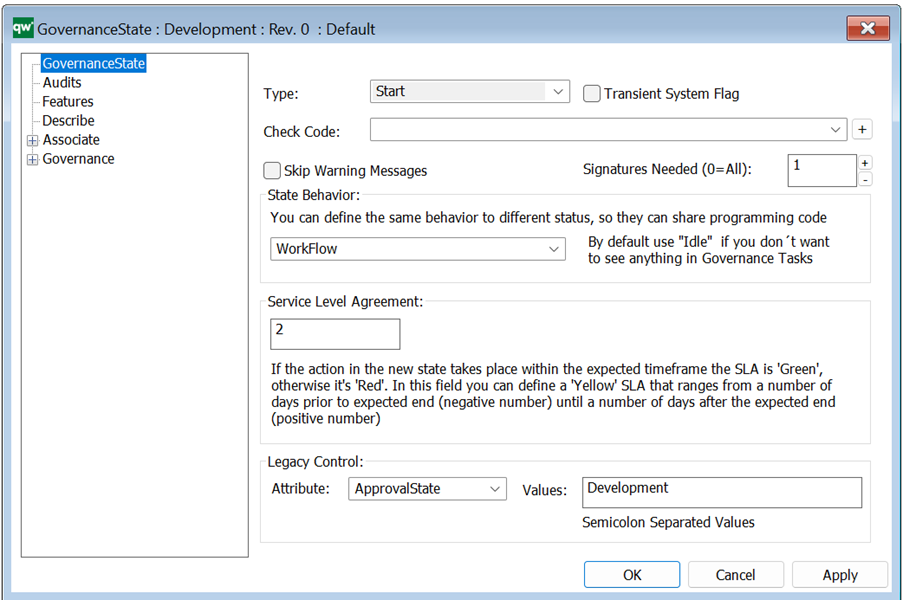
Type: A state can be a Start (light blue), Intermediate (yellow), or End (blue) type. A governance diagram can have only one Start state and one End state.
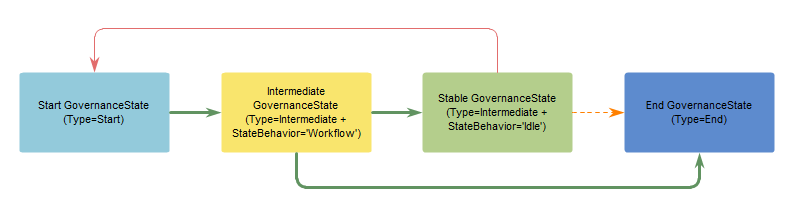
As illustrated above, there is also a “Stable state” (green). A state is ‘Stable’ when Type = Intermediate and State Behavior = ‘Idle’, (see below).
A Stable state can be regarded as the “preferred state”, where the object is, for example, Approved or Valid. The Start state and the workflow-driven Intermediate states are less mature stages on the way to either a Stable state (e.g. Approved) or the End state (e.g. Closed).
Transient System Flag: mark if the state is transient. Note that a transient system state cannot send a transition, only receive a transition.
Check Code: If you want some condition/behaviour to be present before going into the state then you can create a check code using a GovernanceActionList or -GovernanceActionMethod.
Skip warning messages: If the GWE gives a warning message, you can bypass it (ignore it).
Signatures Needed: If you set signatures to two, then two users have to choose the transition (e.g. approve the process). When a user has done the transition then the option will disappear, but it will not do the actual transition before all required ‘signatures needed’ have signed (chosen the transition).
N.B. Keep in mind if you configure so there is only one participant for that particular governance role, then the process will be stuck if two signatures are required.
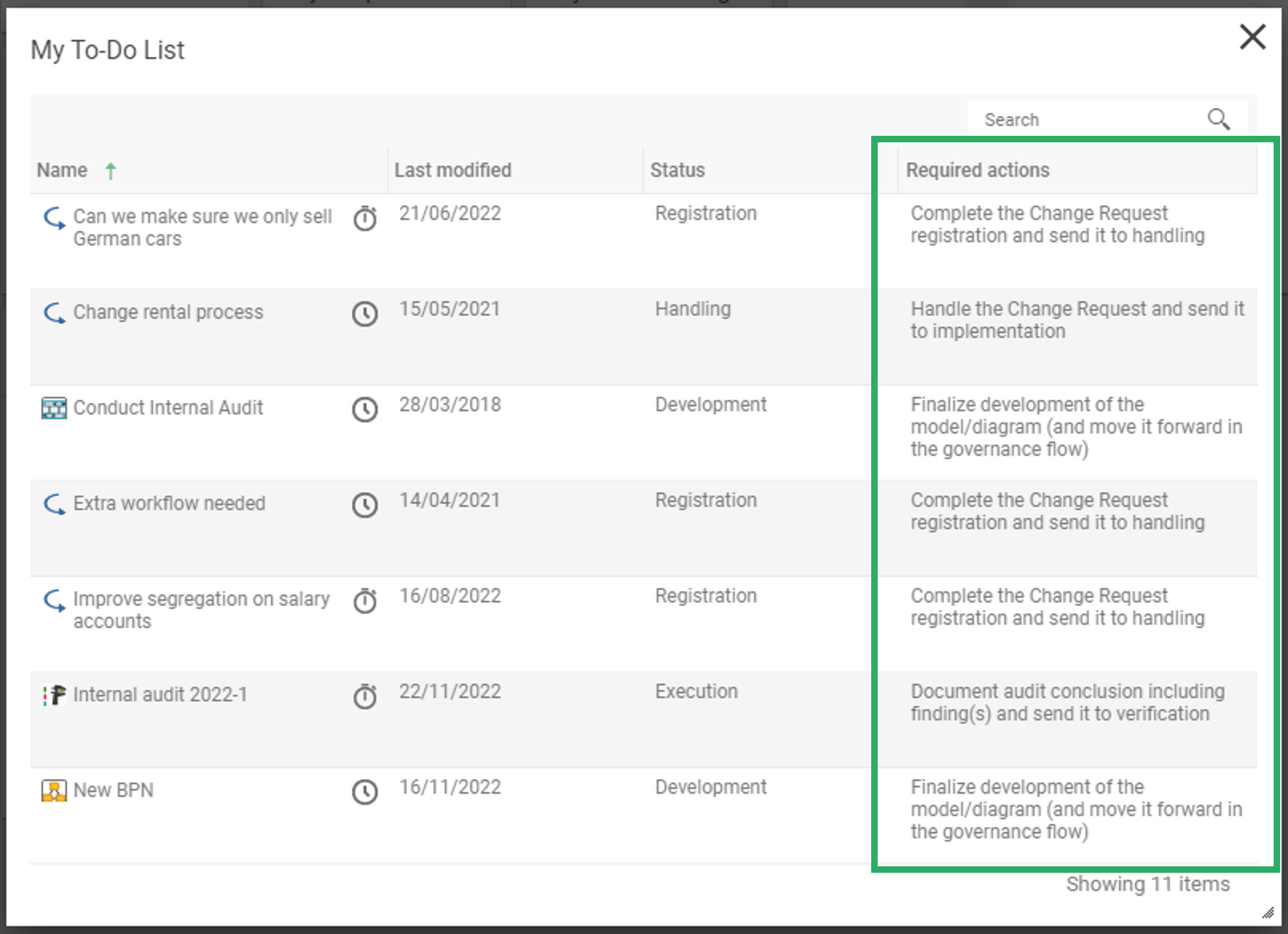
State behavior: If you don’t want the object in this state to be shown in the governance task list, then you should choose “Idle” in the dropdown box. Per default “Workflow” is set which means it will be shown in the governance task list.
Service level agreement: SLA is used in combination with the transitions ‘rule to define duration’. (See Governance Transition)
Legacy Control: If previous ApprovalState or other status field has been used this can make sure they follow the new governance workflow.
Governace State – Features
While an object is in a GovernanceState, different things can be done to the object. E.g. in Development GovernanceState it is usually possible to edit the attributes of the object. It is also possible that the object exceeds the allowed time it can be in the GovernanceState. These actions and event are handled by what is linked in State features.
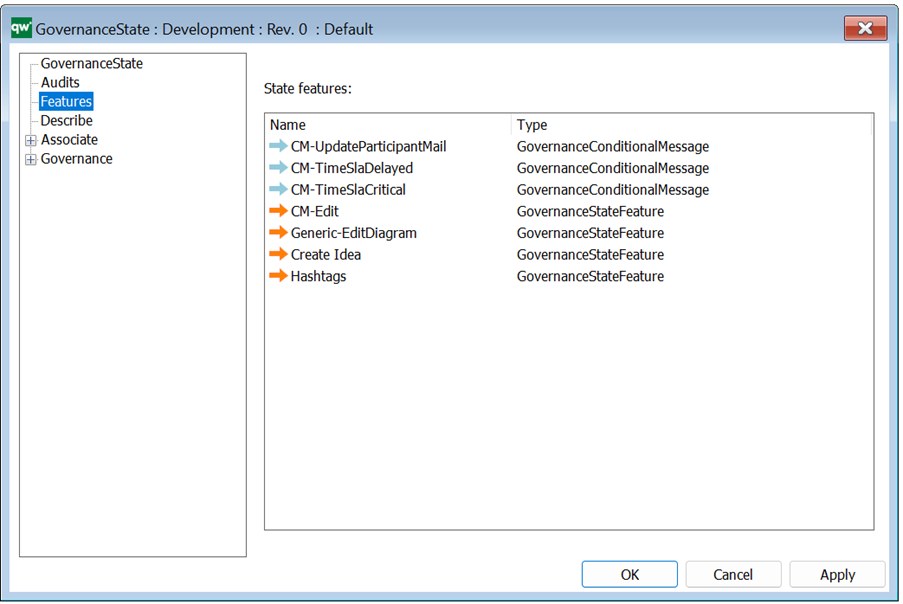
For each state you can define what features and events should be available. This is defined by inserting the required features in the list:
• GovernanceStateFeatures (defines buttons/actions),
• GovernanceConditionalMessage (defines automatic transitions)
• GovernanceEventMessage (events).
Governace State – Required Actions (introduced in QualiWare 10.8)
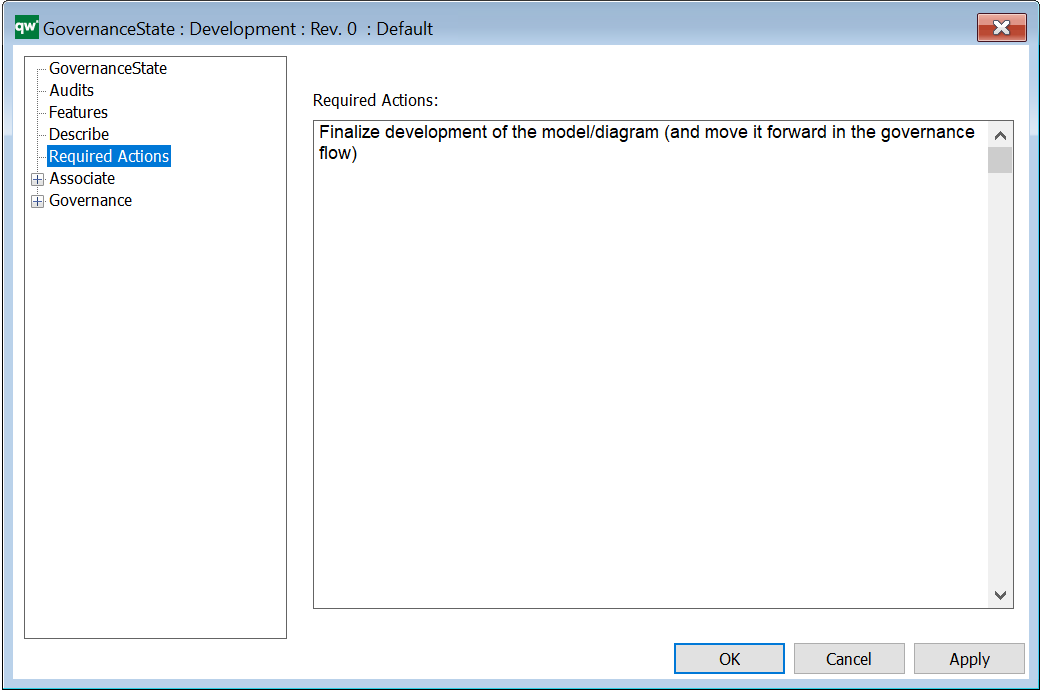
Required Actions: Here you can insert a description, that should guide the user on the web, explaining which required actions they should do. The text will be shown when they open their “To Do” on the web.